Model Setup
Connect an OnlyFans model account to your organization and make your first API request.
What you'll need
Step 1 — Create an Organization
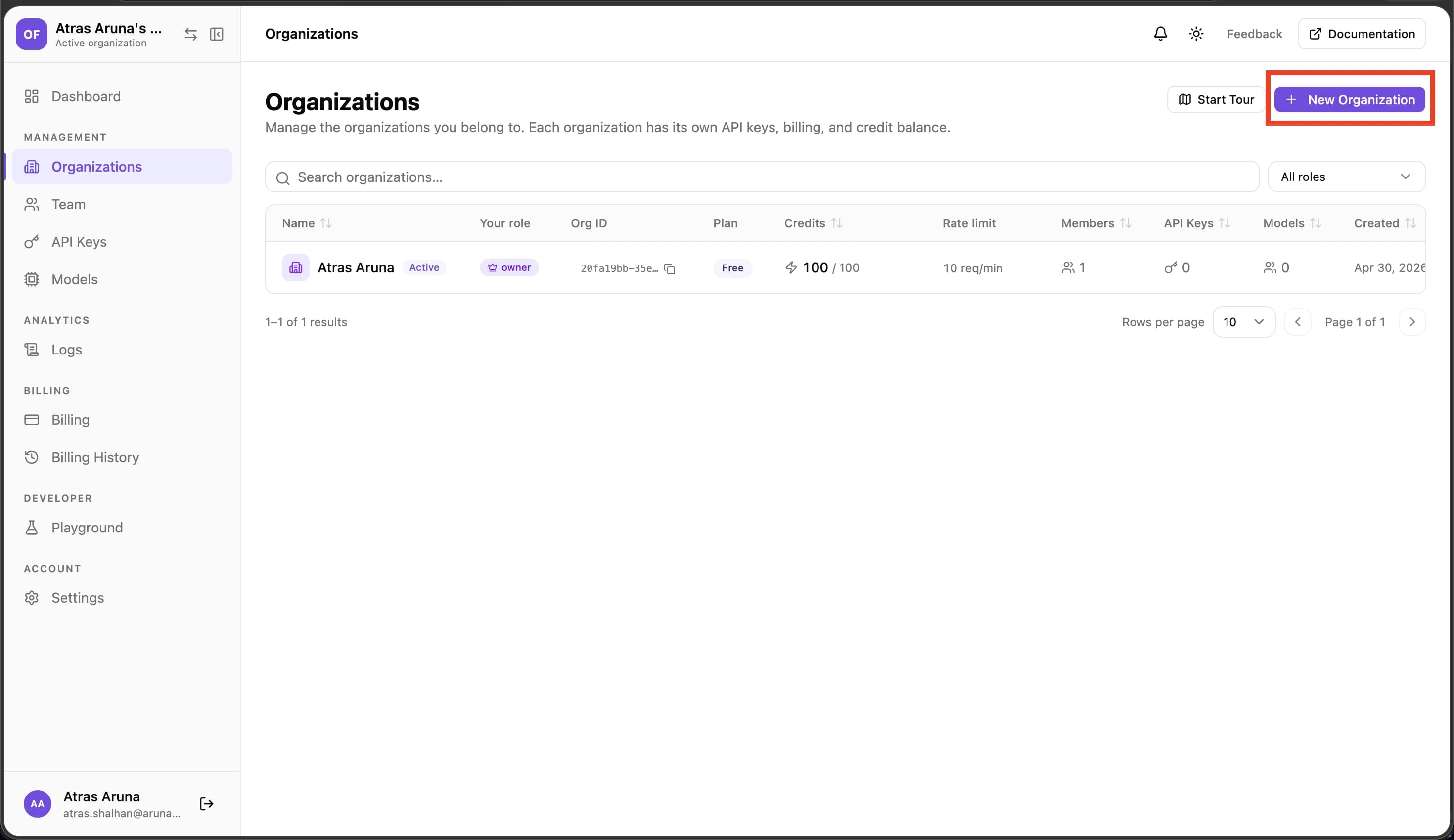
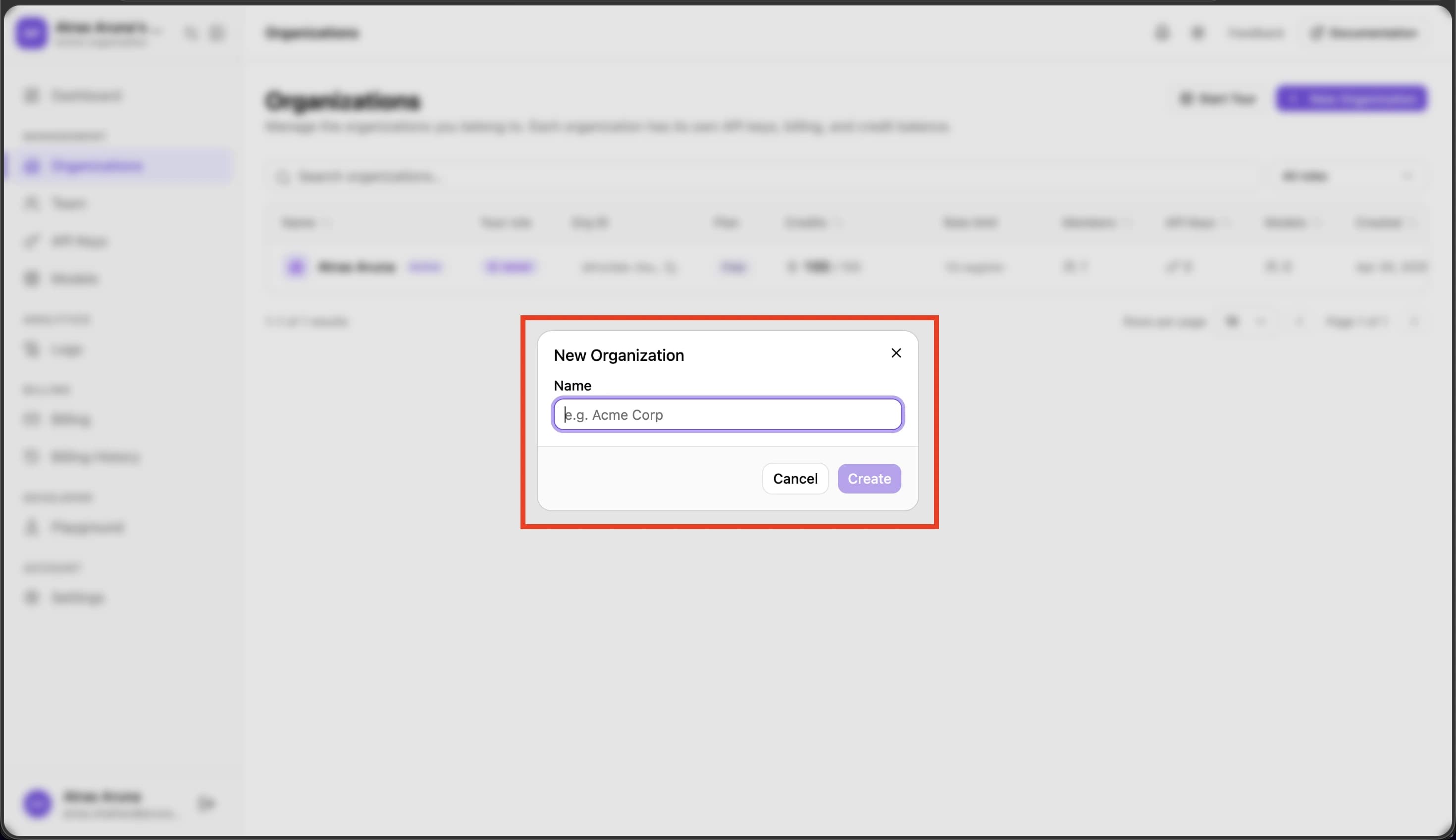
Navigate to Organizations in the sidebar. Click New Organization and give it a name that identifies your project or client.
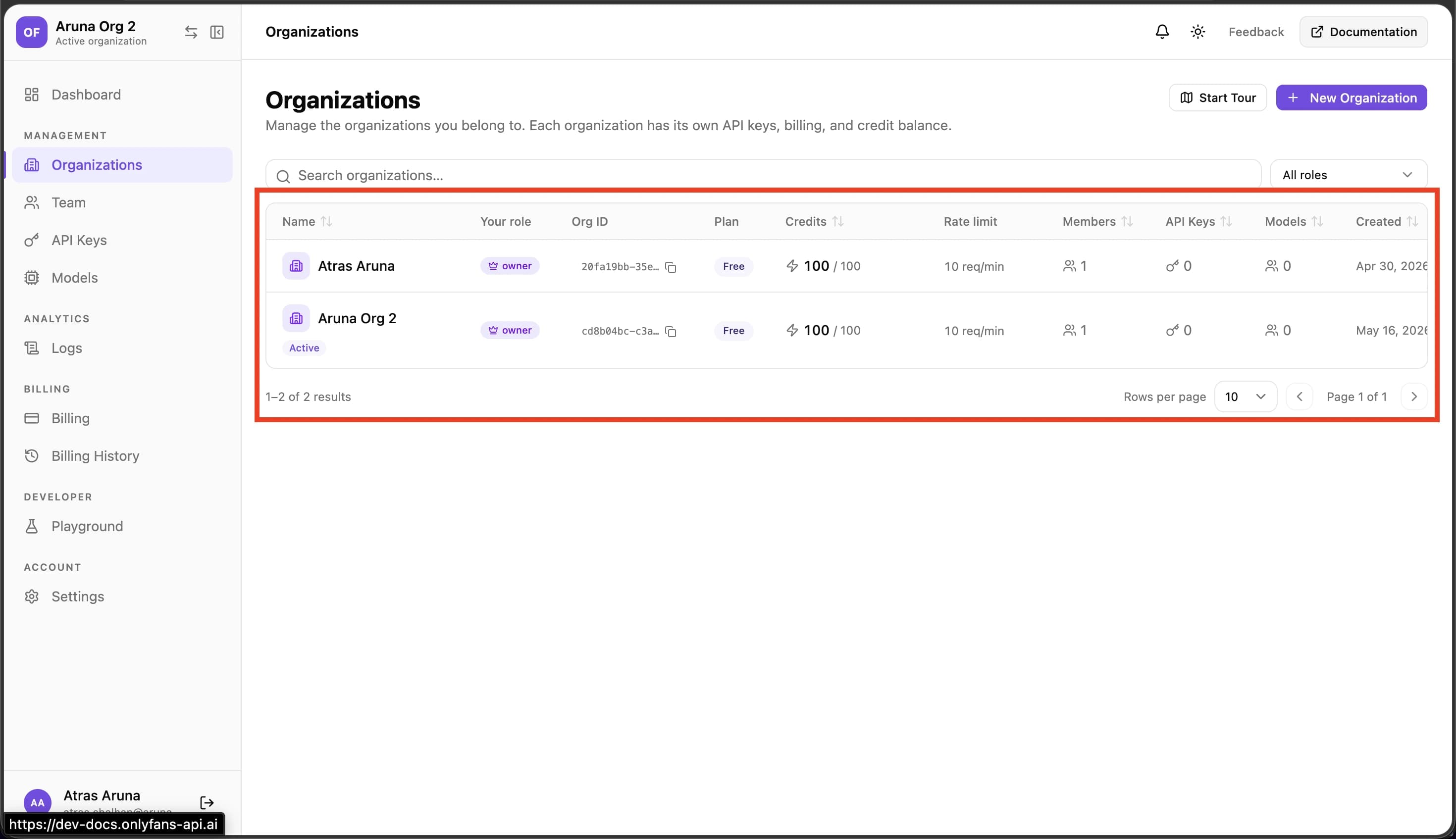
After creating, the organization appears in your list. You start on the Free plan with 100 credits.
Step 2 — Connect a Model
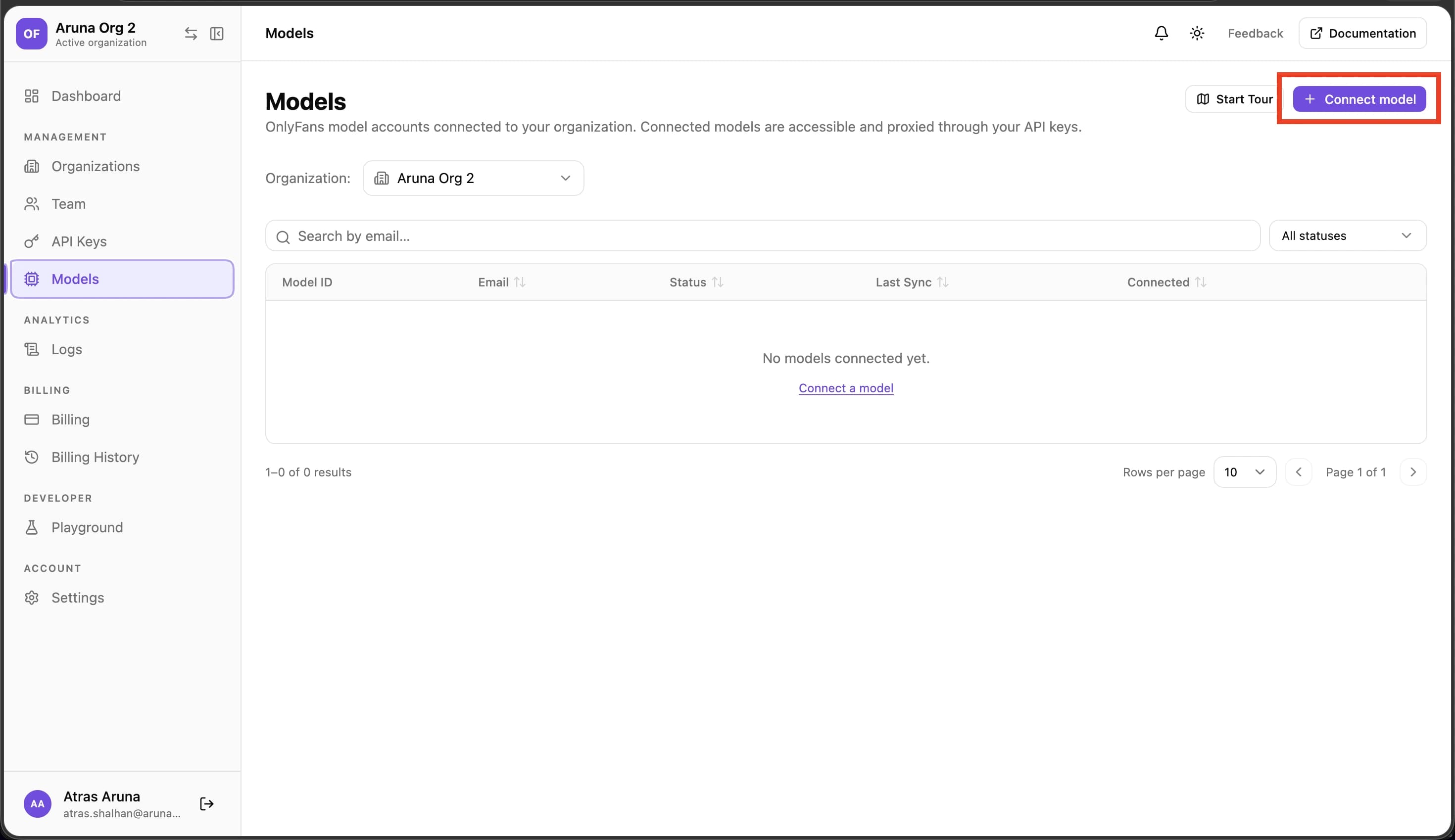
Navigate to Models in the sidebar. Click Connect model and enter the OnlyFans account credentials for the creator you want to connect.
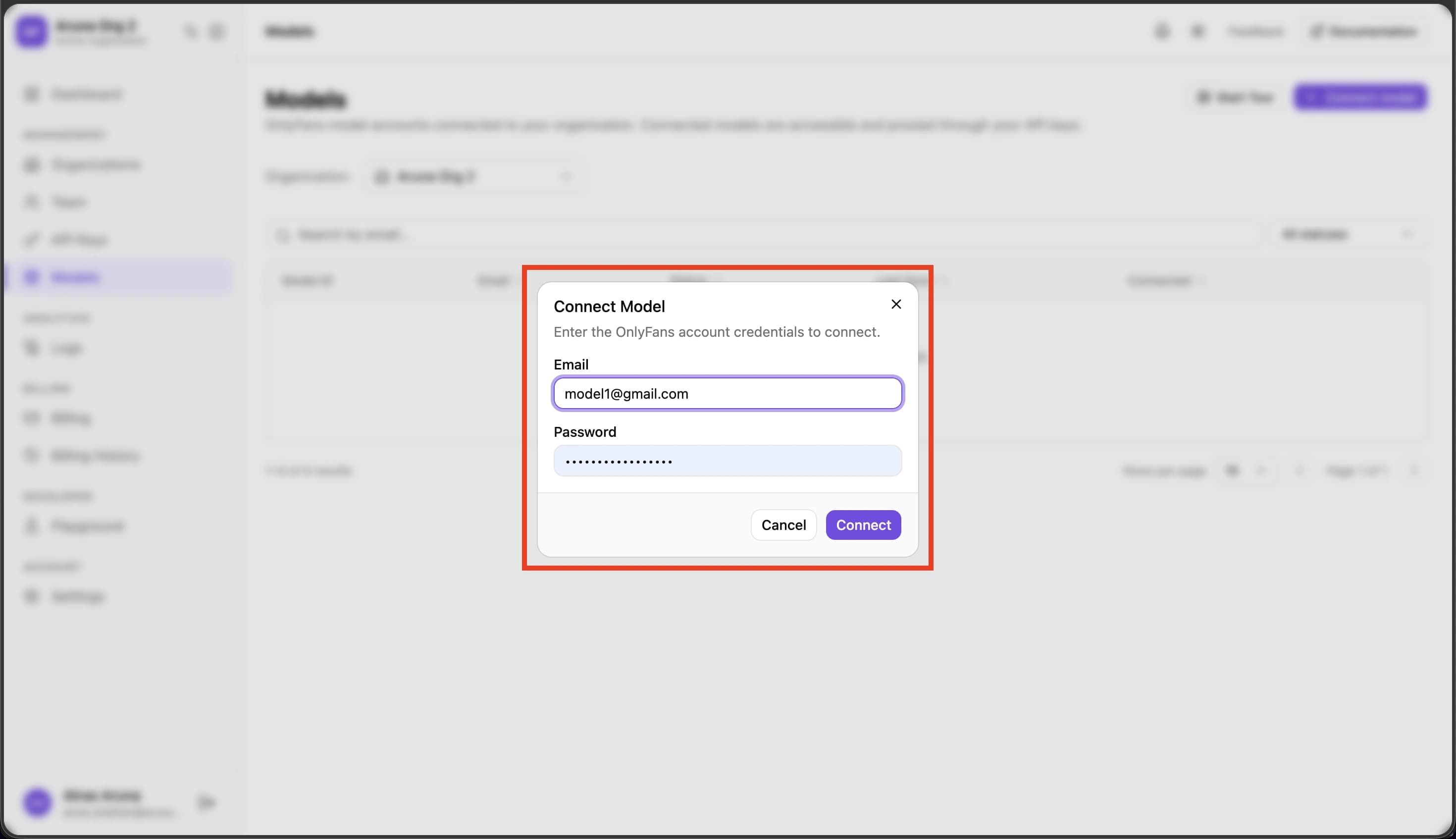
Connection takes 15–30 seconds
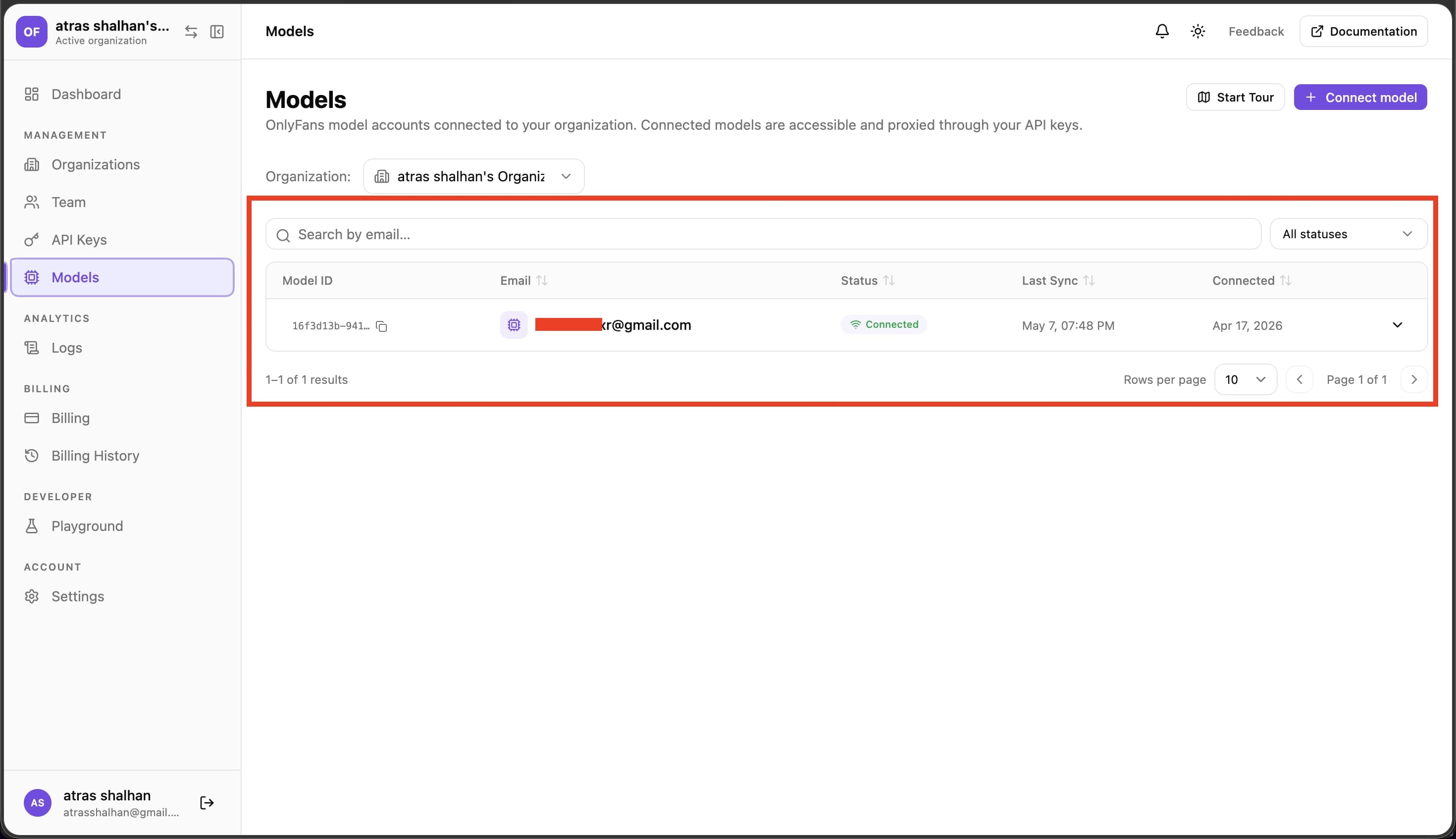
Once connected, the model appears with status Connected. Two identifiers are available for API requests: the internal Model ID (UUID) and the OnlyFans platform ID (numeric). Both can be used interchangeably in the :model_id path parameter of any endpoint.
Step 3 — Create an API Key
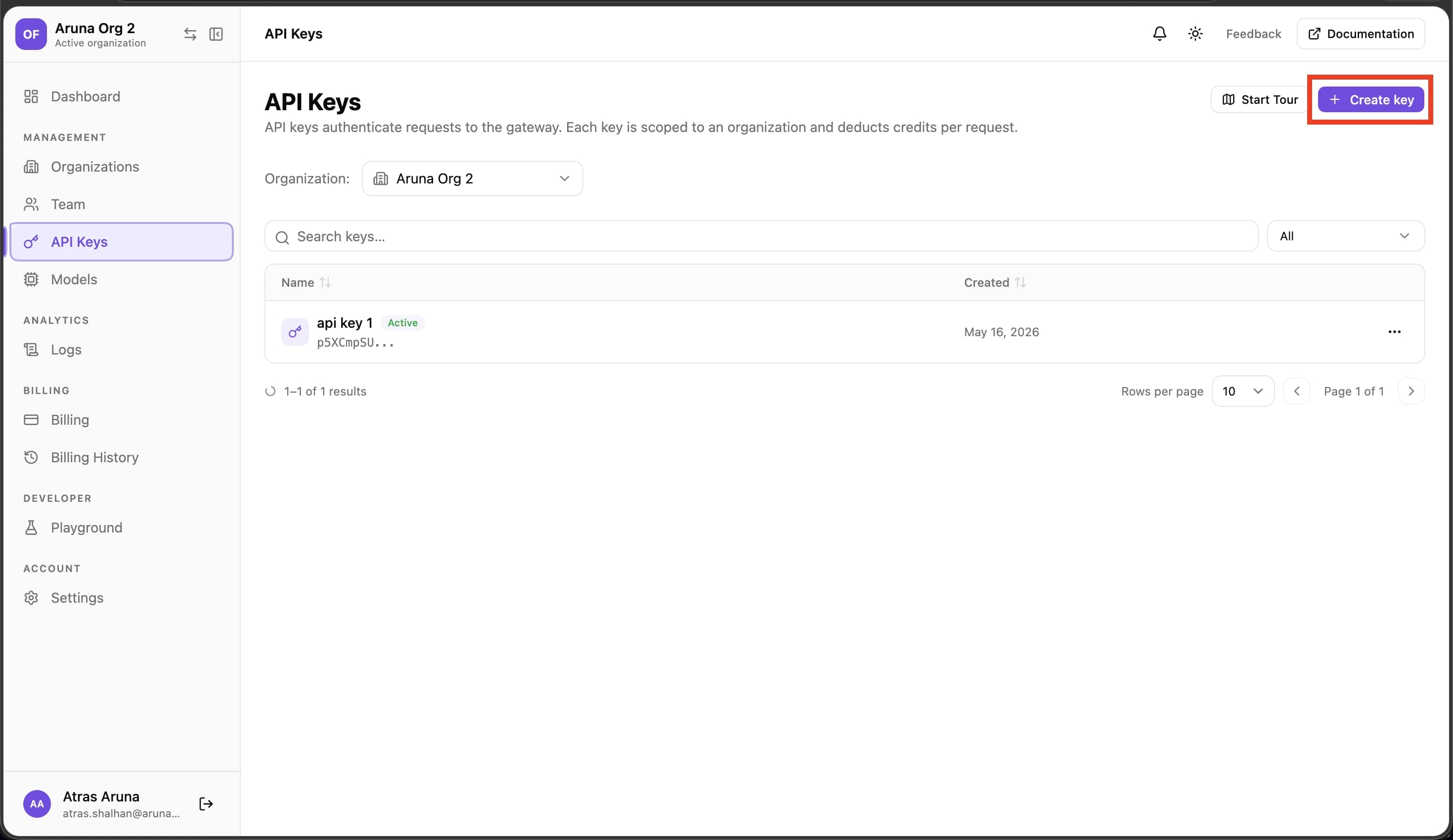
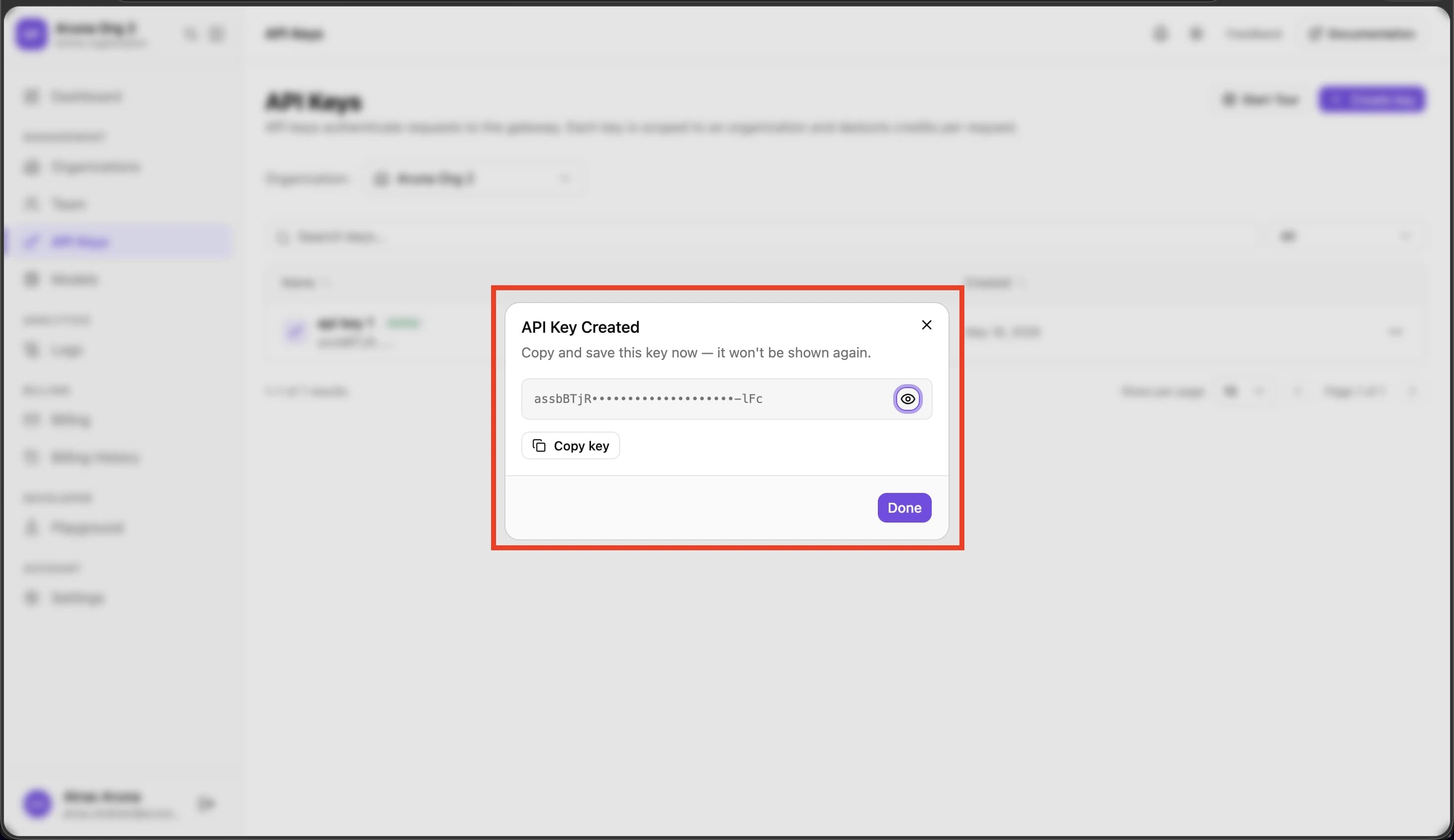
Navigate to API Keys and click Create key. Give it a descriptive name such as "Production" or "Development".
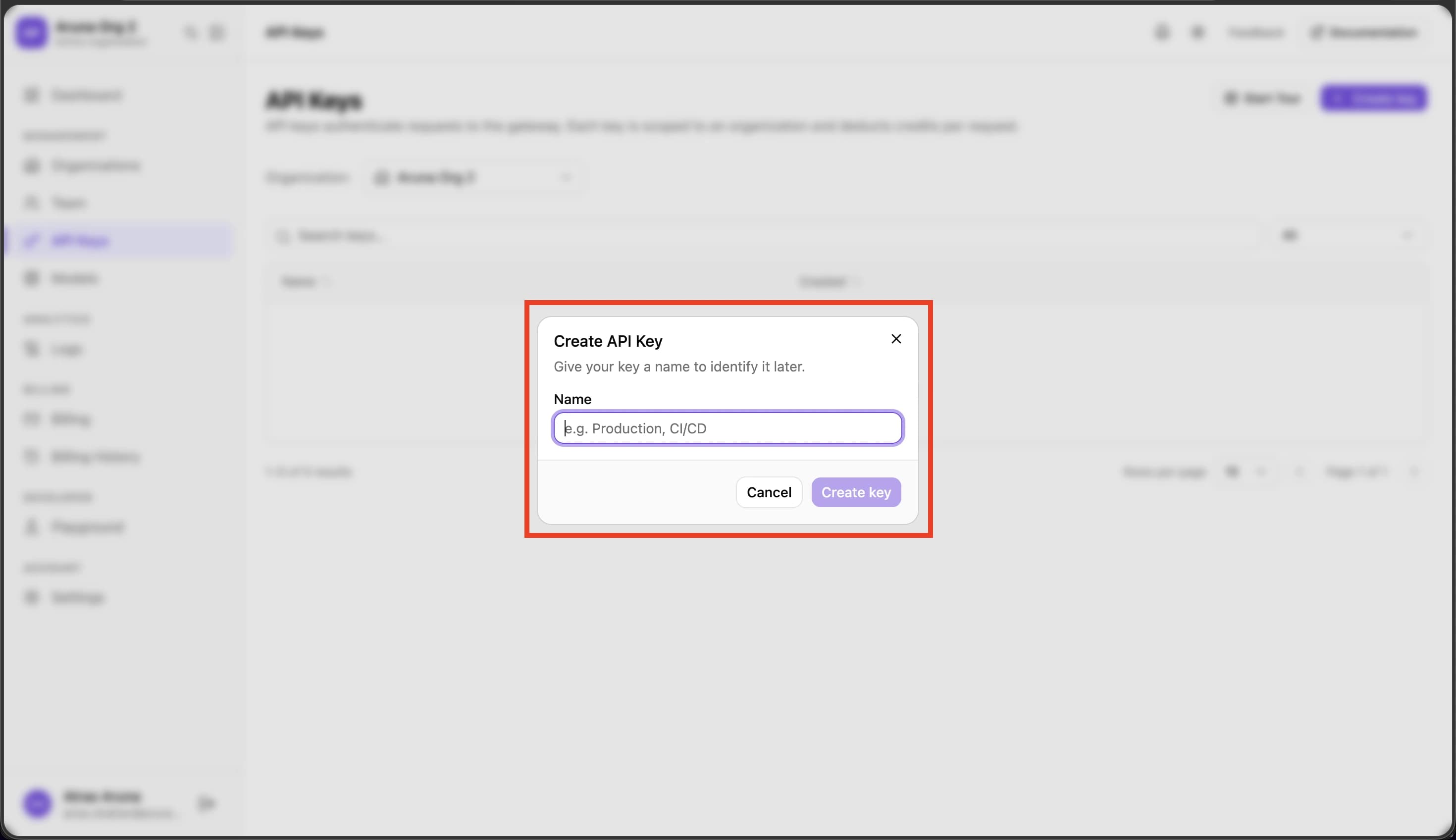
Save your key now
Step 4 — Make Your First Request
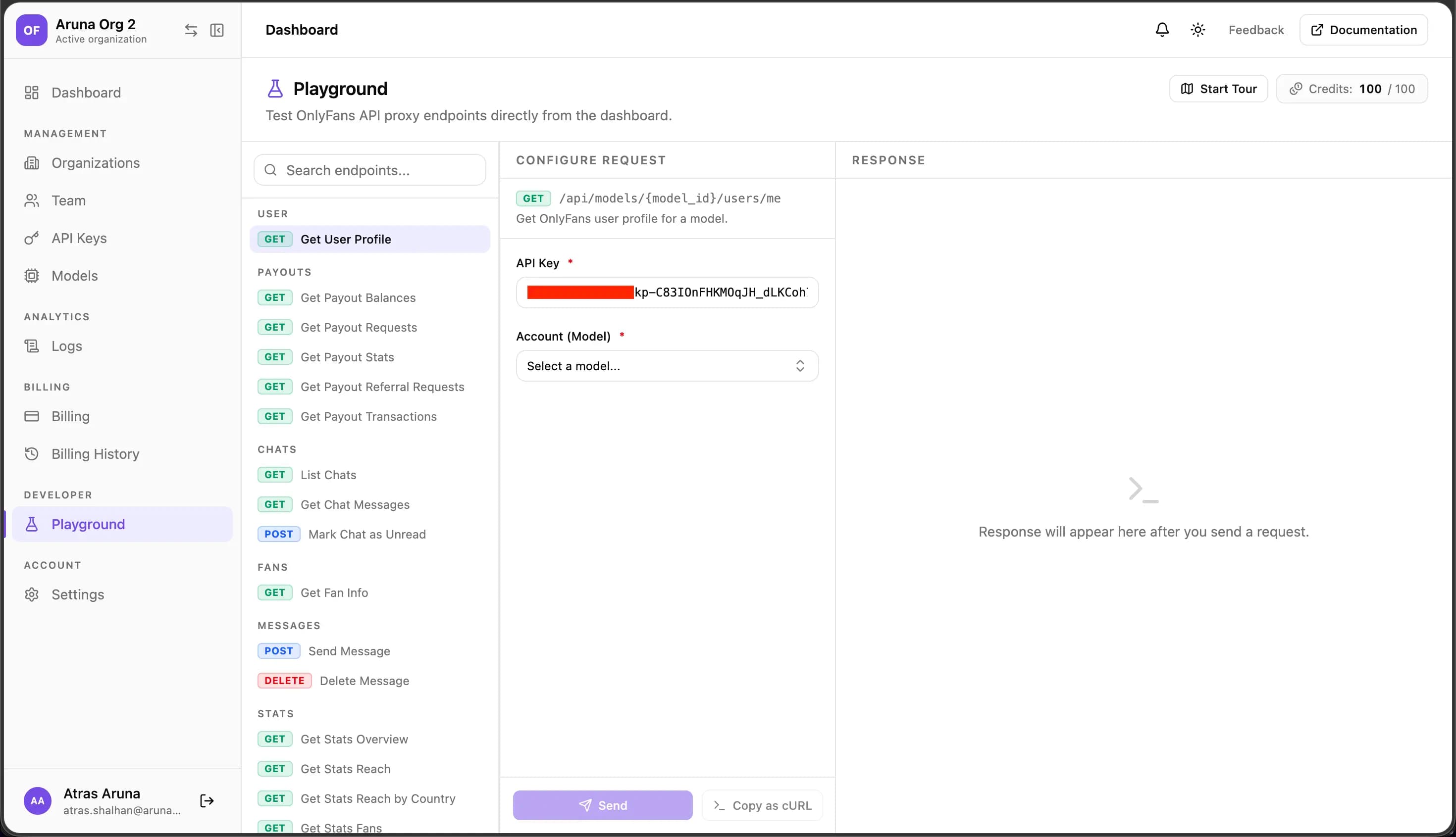
Use your API key in the X-API-Key header to call any proxy endpoint. Replace {model_id} with either the internal Model ID (UUID) or the OnlyFans platform ID from Step 2.
curl "https://api.onlyfans-api.ai/api/models/{model_id}/users/me" \
  -H "X-API-Key: sk_live_your_key_here"
Or use the Playground in the dashboard to send requests directly from your browser without writing any code.
Connect and Reconnect via API
Both operations are available as API endpoints so you can automate model management from your own backend or test them directly in the Playground.
Connect a model
curl -X POST "https://dev-api.onlyfans-api.ai/api/organizations/ORG_UUID/models" \
  -H "X-API-Key: sk_live_your_key_here" \
  -H "Content-Type: application/json" \
-d '{"email": "creator@example.com", "password": "your_password"}'// 202 Accepted: the login runs in the background
{
"message": "Session grant started for new model",
"job_id": "c290f1ee-6c54-4b01-90e6-d701748f0851",
"model": {
"id": "16f3d13b-9415-4e6b-babe-e8db6b31bd97",
"email": "creator@example.com",
"status": "DISCONNECTED",
"platform_model_id": null,
"createdAt": "2026-01-15T10:30:00.000000+00:00"
}
}Reconnect a disconnected model
curl -X POST "https://dev-api.onlyfans-api.ai/api/models/MODEL_UUID/reconnect" \
-H "X-API-Key: sk_live_your_key_here"// 202 Accepted: the login runs in the background
{
"message": "Reconnect started",
"job_id": "c290f1ee-6c54-4b01-90e6-d701748f0851"
}Both calls are asynchronous
job_id before the login has run. Poll GET /api/models/connect-jobs/{job_id} until it reports success (with the model and its platform_model_id) or failure (with an error). See the API Reference.Test in Playground